
For IT teams and MSPs

Identify and diagnose network issues for reliable performance

Run tests, analyze performance, and pinpoint issues with built-in tools like traceroute and speed tests, then use VPN on demand to resolve problems remotely.

No credit card required · 14-day free trial

Network diagnostics is the practice of running active tests — speed tests, traceroutes, packet-loss and latency measurements — to identify and isolate the root cause of network problems. Domotz includes built-in diagnostics plus a VPN on Demand for direct remote troubleshooting across 40K+ networks in 190 countries at $1.50 per managed device per month.

The Domotz difference

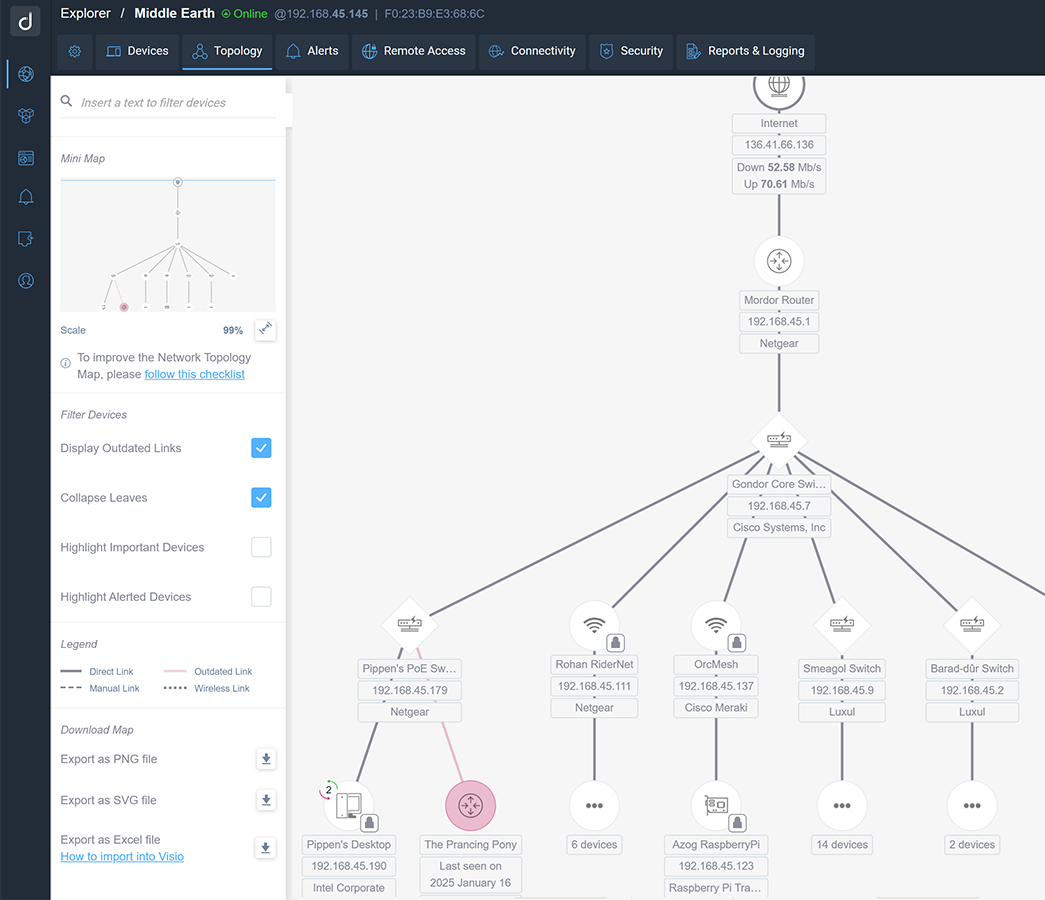
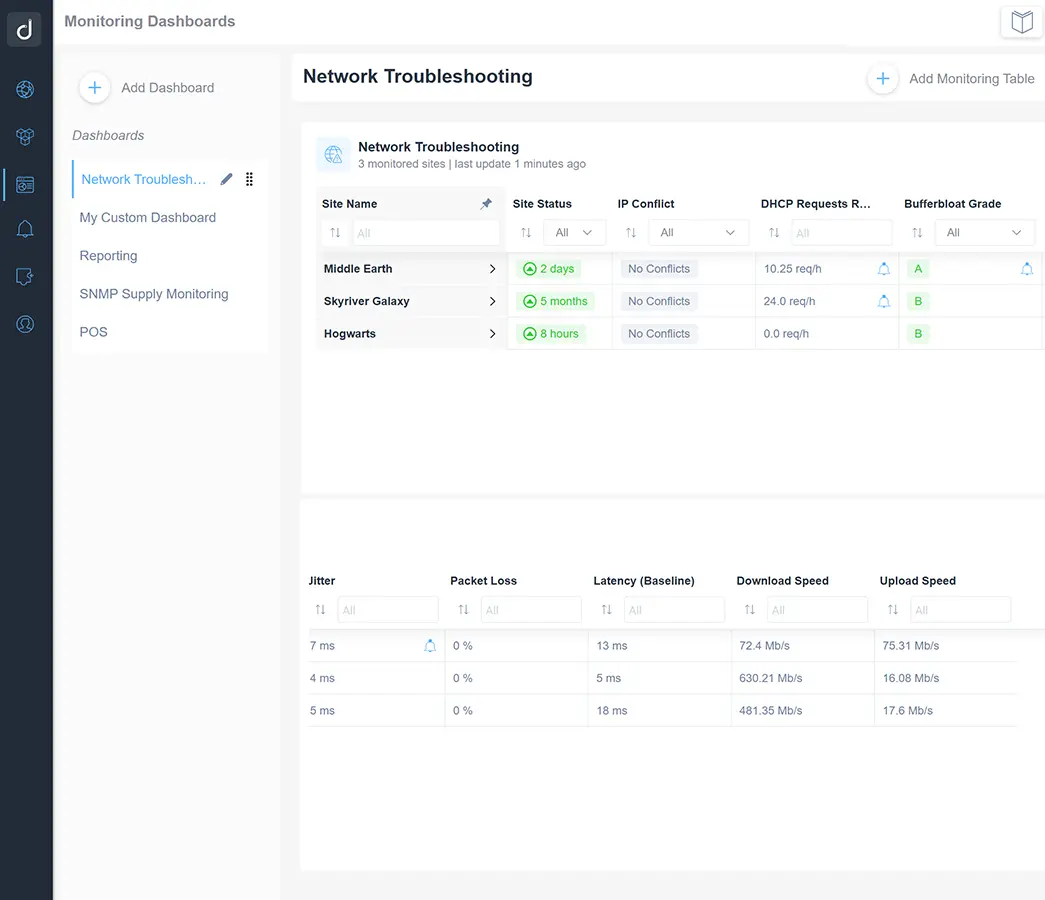
  • Monitor the health properties of all networks in a single view.

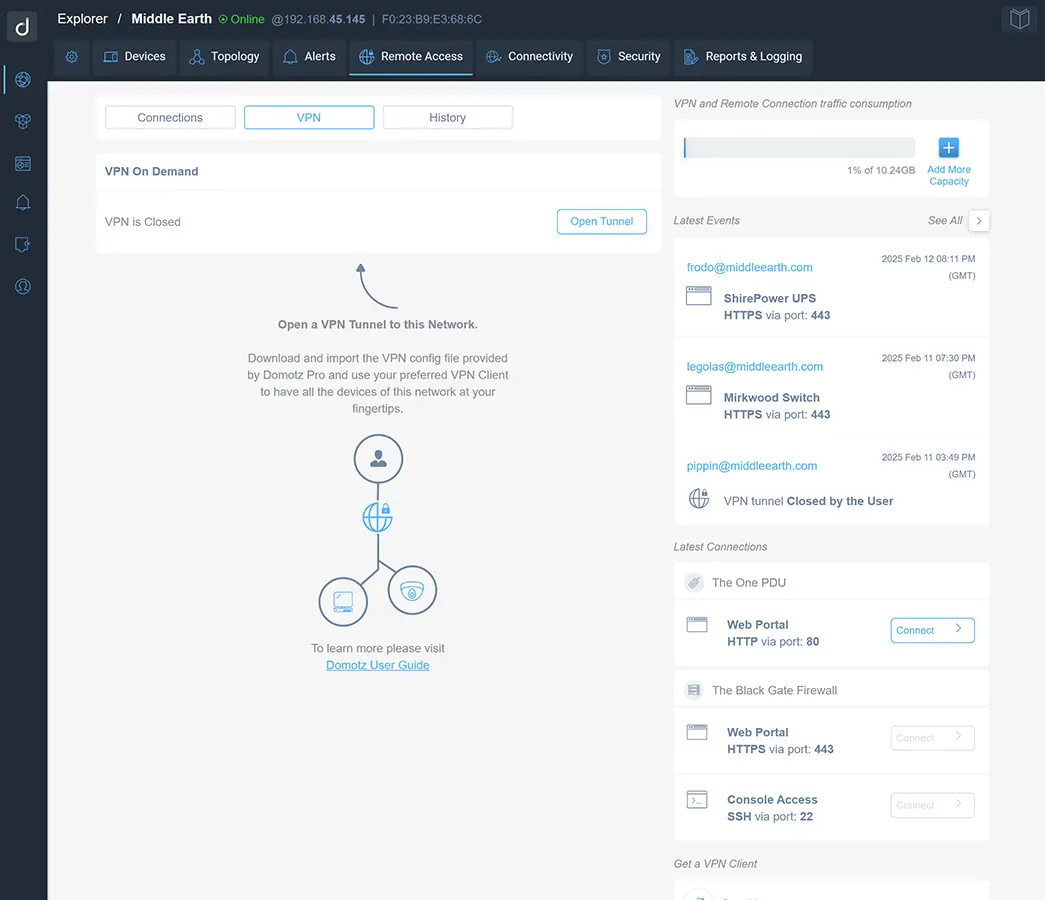
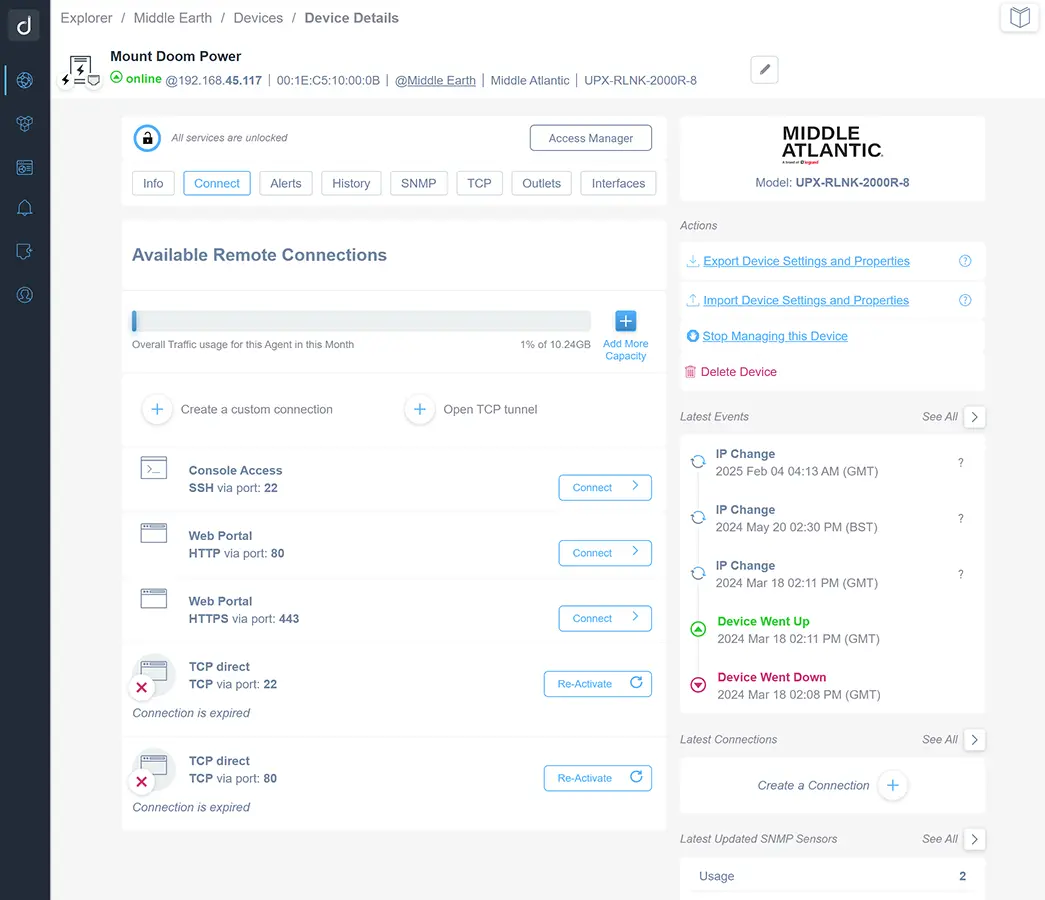
  • Triage any device remotely with a VPN on Demand.

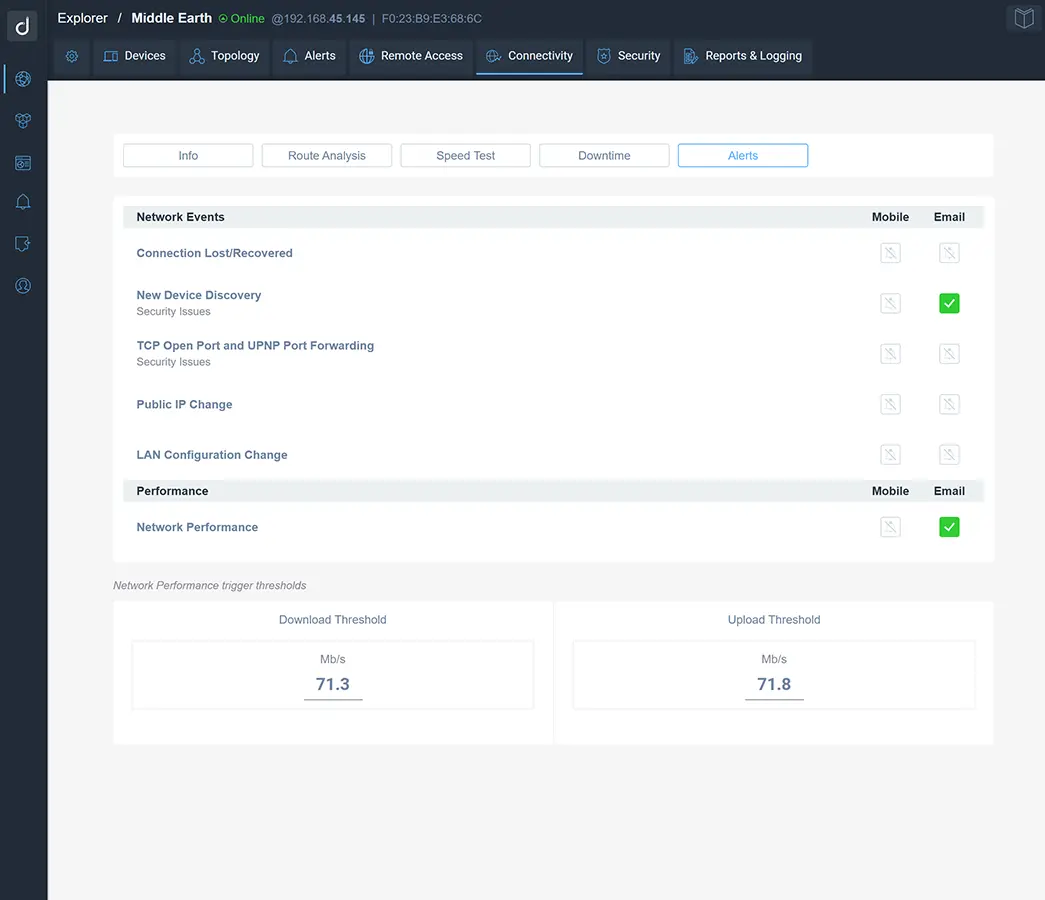
  • Secure your network with new device alerts and port scanning.

Network issues stay hidden until they cause real damage.

Domotz helps you detect, investigate, and resolve network problems before users or business operations are impacted.

Identify network issues with advanced troubleshooting

Identify network issues with advanced troubleshooting.

Unnoticed network issues can quickly escalate into major disruptions that impact users, revenue, and business continuity, but they are preventable.

Quickly diagnose issues and keep your network running smoothly with built-in diagnostics.

  • Detect latency, jitter, packet loss, IP conflicts, and DHCP problems.
  • Monitor bandwidth, assess bufferbloat, and generate actionable reports.
Monitor network performance to keep it running fast and stable

Monitor network performance to keep it running fast and stable.

Tracking network performance across multiple metrics can be overwhelming and makes it harder to detect patterns that lead to downtime or poor user experience.

Improve performance and show the value of your support with real-time network performance monitoring.

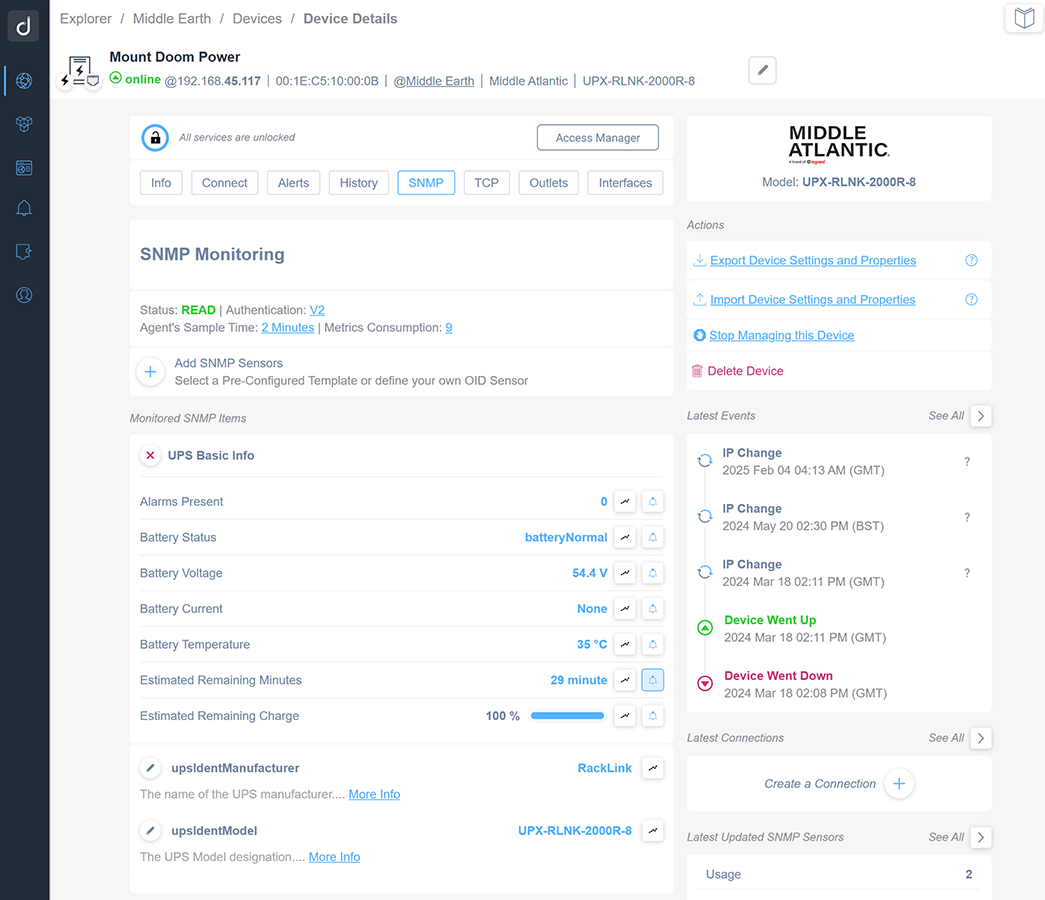
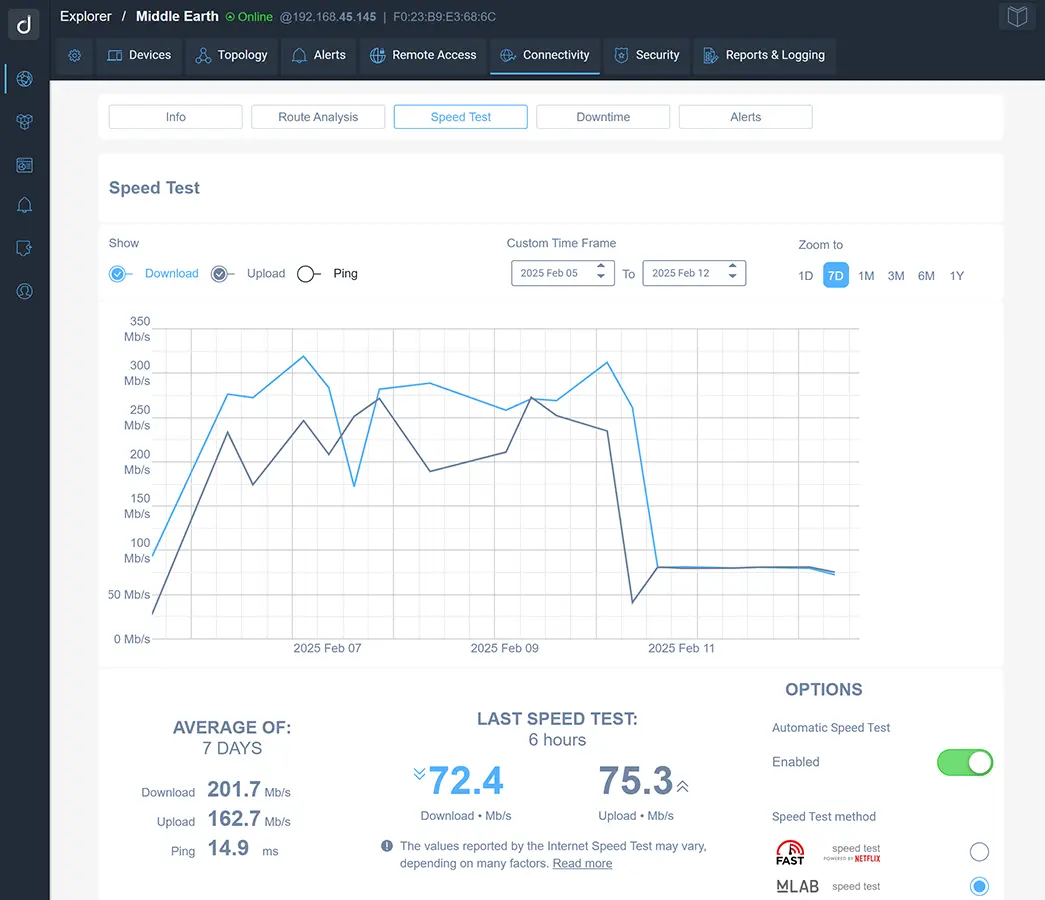
  • Run speed tests, analyze route quality, and detect downtime as it happens.
  • Use historical logs and reports to identify trends.
Securely access multiple devices simultaneously with VPN on Demand

Securely access multiple devices simultaneously with a VPN on Demand.

Switching between tools or relying on on-site access slows down troubleshooting and limits how you serve remote networks.

Simplify remote support with secure, direct access to any network.

  • Use VPN on Demand to connect your computer to remote networks as if you’re on site.
  • Access all devices securely and work with your own tools to configure and troubleshoot faster.
Detect new devices and monitor ports to strengthen network security

Detect new devices and monitor ports to strengthen network security.

Unidentified devices and open ports can create hidden vulnerabilities that leave your network exposed and more difficult to secure.

Stay secure and act quickly.

  • Run automatic perimeter scans to identify open ports and potential risks.
  • Get instant alerts when new devices join the network, with full device details and location.

We don’t want the appearance of security—we want actual security. Domotz fit naturally into that mindset. It slipped right in, replaced what we had, and was easy to set up and get going.

Danial Bulloch, Director of Technology, Network Essentials Danial Bulloch Director of Technology, Network Essentials

Find and fix network issues fast with features for detection, analysis, and remote access.

FAQ

Frequently asked questions

What IT teams and MSPs ask about diagnosing network issues with Domotz.

  • What network diagnostic tools does Domotz include?
    Domotz includes a full network diagnostics toolkit: speed tests, trace route, latency, jitter, packet loss, bufferbloat, IP conflict detection, DHCP monitoring, and WAN-TCP open port scanning — all combined with real-time alerts when a metric drifts outside tolerance.
  • Can Domotz detect packet loss, latency, and jitter?
    Yes. Domotz runs continuous tests for latency, jitter, and packet loss across every site to assess connection reliability, voice/video quality, and route stability. Historical logs let you identify trends rather than chase one-off events.
  • What is VPN on Demand?
    VPN on Demand creates a secure, on-demand connection between your computer and a remote network so you can work as if you're on site — using your own tools to configure and troubleshoot any device. See VPN on Demand.
  • Can Domotz scan for open ports and security risks?
    Yes. Domotz runs automatic WAN-TCP perimeter scans to identify open ports and potential risks, and sends instant alerts when new devices join the network. See Network Security and New Device Event.
  • How much does Domotz cost?
    Domotz costs $1.50 per managed device per month. Device discovery is free — you see every device on a network at no cost and only pay for the devices you choose to actively monitor and manage.